
Download WhisperIt – AI‑Powered Dictation, Voice‑to‑Text, and Smart Editing Tool
Overview
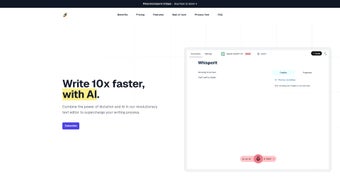
WhisperIt is a cutting‑edge, web‑based AI dictation platform that converts spoken words into polished, publication‑ready text. Built on the latest large‑language‑model technologies, the service not only transcribes speech with high accuracy but also applies context‑aware editing in real time. This means that as you dictate, WhisperIt automatically refines grammar, suggests synonyms, and even completes sentences based on the surrounding context, delivering a seamless writing experience that feels almost conversational.
The solution targets a wide spectrum of users—from freelance writers and educators drafting lecture notes to enterprise teams producing reports, emails, and marketing copy. WhisperIt’s flexible licensing model offers both individual plans and scalable enterprise options, making it suitable for solo creators as well as large organizations that need centralized control over data privacy and model hosting. A distinctive feature is the ability to connect with multiple AI providers, allowing you to choose the backend that best aligns with your security policies.
For teams that demand on‑premise solutions, WhisperIt also supports self‑hosted models, giving full ownership of the inference pipeline. The platform’s intuitive interface includes document creation tools, multi‑format export (PDF, DOCX, TXT, HTML), and a chronological history that lets you revisit and edit past dictations. Sharing capabilities are built‑in, enabling one‑click distribution to email, cloud storage, or collaboration suites like Google Workspace and Microsoft Teams.
In short, WhisperIt merges the speed of voice input with the finesse of AI‑enhanced writing, positioning itself as a productivity booster for anyone who writes regularly.
Core Features That Set WhisperIt Apart
AI‑Driven Transcription & Real‑Time Editing
WhisperIt leverages state‑of‑the‑art speech‑to‑text engines that achieve near‑human transcription accuracy across multiple accents and languages. The moment the spoken word hits the microphone, the AI begins to format the text, apply punctuation, and correct common errors. Simultaneously, a smart auto‑complete engine predicts the next phrase or clause based on the current context, allowing you to keep your hands free while the system fills in boilerplate language, standard salutations, or technical terminology. This dual‑layer processing dramatically reduces the time spent on post‑dictation polishing.
Customizable AI Provider Integration
Unlike many SaaS dictation tools that lock you into a single backend, WhisperIt lets you connect to a variety of AI providers—OpenAI, Anthropic, Cohere, or even private, self‑hosted LLMs. This flexibility ensures that organizations with strict data‑governance requirements can keep sensitive content within their own infrastructure while still benefiting from advanced language models. The integration wizard guides you through API key configuration, model selection, and usage quotas, making the process straightforward for both technical and non‑technical users.
Multi‑Format Export & Collaboration
After you finish dictating, WhisperIt offers one‑click export to several popular file formats: PDF for final distribution, DOCX for further editing in Microsoft Word, TXT for lightweight storage, and HTML for web publishing. The platform also includes a built‑in sharing hub where you can generate shareable links, assign view or edit permissions, and push the document directly to collaboration suites like Google Drive, OneDrive, or Slack channels. The historical timeline feature records each dictation session, complete with timestamps and version control, so you can track revisions or revert to earlier drafts with a single click.
- High‑accuracy, multilingual speech‑to‑text engine.
- Real‑time grammar, style, and tone enhancements.
- Smart auto‑complete that learns from your writing patterns.
- Integration with multiple AI providers and self‑hosted models.
- Document creation, multi‑format export (PDF, DOCX, TXT, HTML).
- Chronological history of dictations with version control.
- One‑click sharing to email, cloud storage, and collaboration tools.
- Enterprise‑grade licensing, role‑based access, and audit logs.
- Customizable UI themes and shortcut keys for power users.
Installation & Usage Instructions
WhisperIt is a cloud‑native application, which means there is no heavy client to install on your workstation. Getting started is as simple as creating an account and granting microphone permissions in your browser. Follow these steps for a smooth onboarding experience:
- Sign Up: Visit whisperit.example.com and click “Get Started”. You can register with an email address or use single sign‑on (SSO) options such as Google, Microsoft, or Okta for enterprise environments.
- Choose a Plan: Select either the free tier (limited to 5 hours of transcription per month) or a paid subscription that unlocks unlimited usage, advanced AI provider connections, and admin controls.
- Configure AI Provider (Optional): If you prefer a specific backend, navigate to Settings → AI Integration. Input your API key, choose the model version, and set usage limits. For self‑hosted deployments, provide the endpoint URL and authentication token.
- Enable Microphone Access: The first time you open the dictation canvas, the browser will request permission to use your microphone. Grant access, and you’ll see a visual waveform indicating that WhisperIt is listening.
- Start Dictating: Click the red “Record” button or use the shortcut Ctrl + Shift + R. Speak naturally; WhisperIt will transcribe in real time, apply auto‑complete suggestions, and highlight any potential grammatical improvements.
- Edit & Refine: Use the inline editor to accept or reject AI suggestions. You can also invoke the “Style Guide” sidebar to enforce specific tone (formal, conversational, technical) across the document.
- Export or Share: When you’re satisfied, click “Export” and select your desired format. For collaboration, hit “Share” and choose the destination platform or generate a secure link with expiry dates.
- Review History: All sessions are saved automatically. Access them via the “History” tab, where you can replay the dictation, view timestamps, and restore previous versions.
For teams that require on‑premise deployment, WhisperIt offers a Docker image that can be run on any Linux server. The official documentation provides a step‑by‑step guide: pull the image, configure environment variables for API keys, and launch the container. Once the server is up, point your browser to the internal URL, and the experience is identical to the hosted version.
Compatibility & System Requirements
WhisperIt is designed to be universally accessible, running on any modern web browser that supports WebRTC and JavaScript ES6. The platform has been tested extensively on the following operating systems and browsers:
- Windows 10, 11 – Edge, Chrome, Firefox, and Opera.
- macOS 12 (Monterey) and later – Safari, Chrome, Firefox.
- Linux distributions (Ubuntu 20.04+, Fedora 34+, Debian 11+) – Chrome and Firefox.
- iOS 14+ – Safari and Chrome (via WebView).
- Android 9+ – Chrome, Firefox, and the native Android WebView.
Because WhisperIt processes audio in the cloud, the only client‑side requirement is a stable internet connection (minimum 3 Mbps recommended for optimal latency). For self‑hosted deployments, the server should meet the following specifications:
- CPU: 4‑core modern processor (Intel i5 / AMD Ryzen 5 or better).
- RAM: 8 GB minimum (16 GB recommended for high‑volume usage).
- GPU: Optional – a CUDA‑compatible GPU accelerates inference for large language models but is not mandatory.
- Storage: 50 GB SSD for logs, temporary audio buffers, and archived transcriptions.
- Network: Open ports 443 (HTTPS) and 8443 (WebSocket) for secure communication.
The platform also adheres to accessibility standards (WCAG 2.1 AA), providing keyboard navigation, screen‑reader support, and high‑contrast themes for users with visual impairments. Whether you are on a desktop workstation, a laptop, a tablet, or a smartphone, WhisperIt adapts its UI layout to deliver a consistent, frictionless dictation experience.
Pros and Cons
Pros
- High‑accuracy, multilingual transcription that rivals premium desktop dictation software.
- Real‑time AI editing and smart auto‑complete dramatically speeds up content creation.
- Flexible AI provider integration and optional self‑hosted models for maximum data control.
- One‑click export to multiple formats and built‑in sharing to major collaboration platforms.
- Comprehensive history and version control, eliminating the need for external backup tools.
- Cross‑platform web access; no heavy client installation required.
- Enterprise licensing with role‑based access, audit logs, and SSO support.
Cons
- Free tier is limited to 5 hours of transcription per month, which may be insufficient for power users.
- Real‑time AI enhancements depend on a stable internet connection; offline usage is not currently supported.
- Self‑hosted deployment requires technical expertise to configure Docker and secure API keys.
- Advanced customization (e.g., custom vocabularies) is only available on higher‑priced enterprise plans.
- While privacy is a focus, users must still trust the chosen AI provider’s data handling policies.
Frequently Asked Questions
Is WhisperIt secure for handling confidential documents?
Yes. WhisperIt encrypts all audio streams and transcribed text using TLS 1.3 during transmission. For enterprises, you can route data through a private VPC or use a self‑hosted model, ensuring that no raw audio or text leaves your controlled environment. Additionally, the platform does not store audio files longer than 24 hours unless you explicitly enable archiving.
Can I use WhisperIt on mobile devices?
Absolutely. WhisperIt runs in any modern mobile browser that supports WebRTC, including Safari on iOS and Chrome on Android. The responsive UI automatically adapts to smaller screens, and you can dictate using your device’s built‑in microphone or an external Bluetooth headset for improved audio quality.
What languages does WhisperIt support?
WhisperIt currently supports over 30 languages, including English, Spanish, French, German, Mandarin, Japanese, Korean, Portuguese, Arabic, and Russian. The AI models automatically detect the spoken language and switch transcription dictionaries accordingly, so you can switch between languages mid‑session without manual configuration.
How does the smart auto‑complete feature work?
The auto‑complete engine analyses the words you have already dictated, the surrounding context, and the chosen tone settings. It then predicts the most likely next phrase using a transformer‑based language model. Suggestions appear inline and can be accepted with a single keystroke or spoken command (“accept suggestion”), allowing you to keep your hands free while the system fills in boilerplate or repetitive sections.
Is there an offline mode for WhisperIt?
As of now, WhisperIt requires an internet connection because the transcription and AI editing are performed on cloud servers. However, the self‑hosted Docker image allows you to run the entire stack within your own network, providing a de‑facto offline experience as long as the server remains reachable from your device.
Final Verdict & Call to Action
WhisperIt delivers a compelling blend of high‑fidelity speech recognition, AI‑driven writing assistance, and enterprise‑grade security—all within a sleek, browser‑based interface. The platform shines for professionals who need to produce large volumes of written content quickly without sacrificing quality. Its modular AI integration and optional self‑hosted deployment address the most common data‑privacy concerns, making it a viable choice for regulated industries such as legal, healthcare, and finance. While the free tier is limited and offline capabilities are currently unavailable, the overall value proposition for paid plans is strong, especially for teams that can leverage the collaborative features and custom licensing.
If you’re ready to turn your voice into polished prose, download WhisperIt now and start your free trial. Experience the future of dictation and see how much time you can save on your next report, article, or lesson plan.



.png)



